
Dropndot AI Content Checker – WordPress Plugin
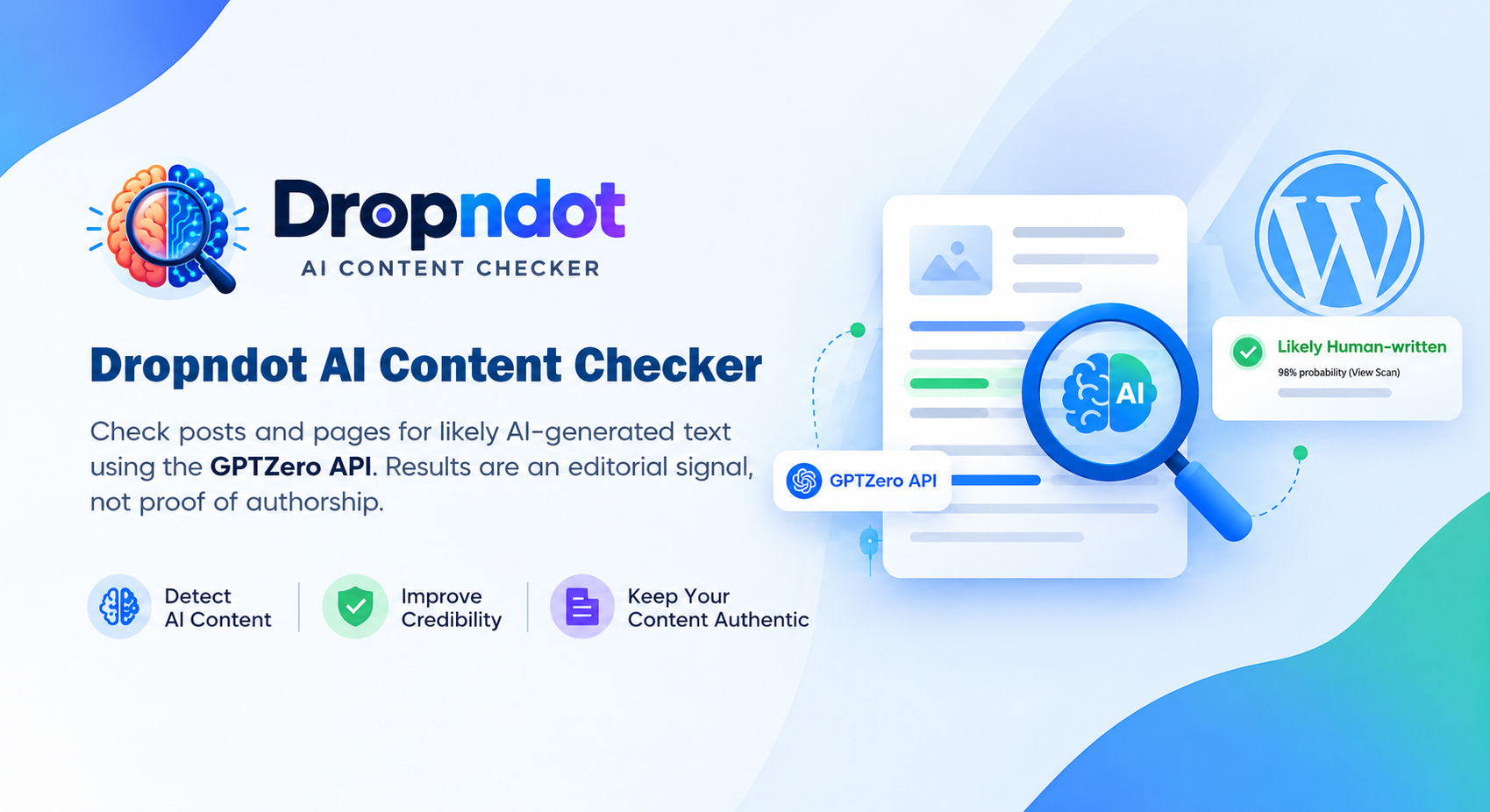
Dropndot AI Content Checker is a WordPress plugin developed by Dropndot Solutions that brings GPTZero-powered AI content detection into the WordPress editorial workflow. It helps editors, publishers, and content teams review posts and pages for signs of AI-generated writing without leaving their dashboard.
The plugin presents content classifications, probability scores, confidence levels, and sentence-level highlights to help editors identify passages that may need closer attention. With checks inside the block editor, bulk scanning, scan history, and API usage monitoring, it brings content review and follow-up into one familiar workspace.
WordPress Plugin Link: https://wordpress.org/plugins/dropndot-ai-content-checker/
INSTALLATION PROCESS
Installation
- Upload the dropndot-ai-content-checker folder to the /wp-content/plugins/ directory, or install the plugin ZIP file through Plugins → Add New → Upload Plugin.
- Activate the plugin from the WordPress Plugins menu.
- Get an API key from your GPTZero dashboard. A GPTZero account with API access is required, and API usage may incur charges.
- Navigate to Settings → AI Content Checker, paste your API key, and click Save key.
- Click Test connection to confirm that the plugin can connect to GPTZero.
- Open the General tab to select content types, configure scan history retention, and set up optional usage alerts.
Configuration
Settings Page: Connect GPTZero and Manage Your Preferences
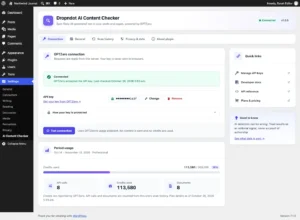
Connect your WordPress website to GPTZero from the plugin’s Connection tab. Save, change, or remove your API key, check the connection status, and view your current plan usage from a central settings page. The General tab lets you choose whether the checker appears for posts, pages, or both. You can also configure history retention and enable the optional multilingual model for French and Spanish content.
AI Content Check: Review Content Inside the Block Editor
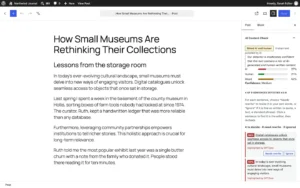
Run an AI content check directly from the WordPress block editor. The plugin checks the current text, including unsaved changes, when you request a scan. Results appear in the AI Content Check panel, showing whether GPTZero classifies the text as likely AI-generated, likely human-written, or mixed. Probability bars and confidence information help editors interpret the result before deciding what to review.
Sentence-Level Analysis and Editorial Review
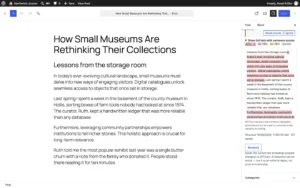
Identify passages that deserve closer attention with ranked sentence scores and a colour-coded view of the checked text. Click a highlighted sentence in the editor panel to locate its block and review the wording in context. Mark a sentence as Needs rewrite when it requires revision, or choose Ignore when it is appropriate as written. These controls support a manual review process: editors make the changes themselves and run another check when ready.
Posts and Pages: Individual Reports and Bulk Checks
Review scan results from the Posts and Pages lists through the dedicated AI Check column. Each checked item displays its classification, probability, and scan time, with options to view the report or run another check.
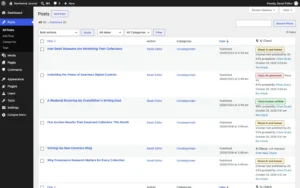
Open a report to inspect probability scores and flagged sentences without leaving the list.
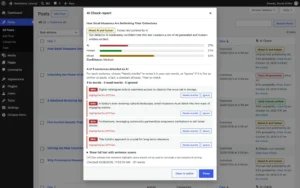
For larger reviews, select multiple items and run a bulk check, which processes up to 20 items sequentially. Classic Editor users can use these list actions to check saved content.
Scan History and Result Tracking
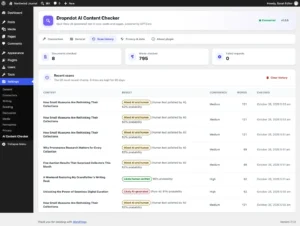
Use the Scan History tab to review recent checks, including content titles, classifications, confidence levels, word counts, and check times. Summary cards show documents checked, words checked, and failed requests. Configure how long history entries are retained, or clear the history when needed. The plugin also warns when content has changed since its last check, helping editors recognise results that may no longer reflect the latest draft.
API Usage Monitoring and Low Credit Alerts
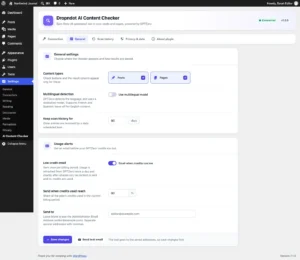
Monitor your GPTZero billing period and credit usage from the Connection tab. The usage display helps your team understand how much of the available allowance has been consumed. Enable low credit emails and choose the usage percentage that triggers an alert. Send notifications to the administration email address or custom recipients, and use the test-email option to verify delivery. Alerts are sent once per billing period when the configured threshold is reached.
Privacy Controls and API Key Protection
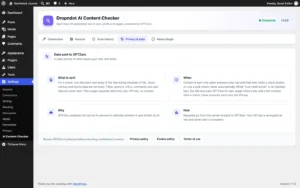
The Privacy & data tab explains what information leaves your website and when. Content checks send the plain-text body to GPTZero after removing HTML, block markup, and shortcodes. Titles, author details, URLs, comments, and user data are excluded. Content is submitted only when an authorised user starts an individual or bulk check. When low credit alerts are enabled, separate background requests retrieve plan usage without sending content. The stored API key is encrypted and displayed in masked form, while API requests run directly from your server. Administrators can also keep the key outside the database using the optional configuration constant.
The stack behind the build.
A pragmatic set of tools chosen for speed, maintainability and long-term reliability.
WordPress PLUGIN STRATEGY
Dropndot AI Content Checker brings AI detection into the places where WordPress teams already write, review, and manage content. It reduces the need to move text between separate tools by making scan results and sentence-level feedback available within the editorial workflow. The plugin combines individual checks, bulk reviews, scan history, and usage alerts to support both everyday editing and larger content reviews. Clear data-sharing information and configurable settings help administrators manage how the integration operates. AI detection can produce incorrect results, so classifications and sentence highlights should guide editorial review rather than serve as proof of authorship. By keeping the final decision with the editor, Dropndot AI Content Checker supports a more informed and practical content review process.
Have a project in mind?
Tell us about your goals and we'll come back within one business day with a plan, a team, and a realistic timeline.