
Frontend View For Headless CMS – WordPress Plugin
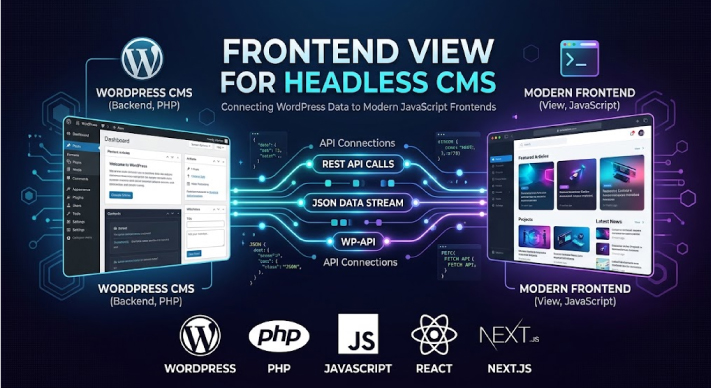
Frontend View For Headless CMS is a WP plugin that seamlessly links your backend WordPress content, including posts, pages, custom post types, taxonomies, categories, and authors to your headless CMS frontend site. This ensures that any content in your WordPress backend is linked with your headless CMS frontend, therefore, you can easily visit the contents using visit links.
WordPress Plugin Link: https://wordpress.org/plugins/frontend-view-for-headless-cms/
Droptheme is a sister concern of Dropndot Solutions. This platform provides digital products such as WordPress plugins, WordPress themes, UI templates, PHP Script, HTML, Bootstrap, React, CMS, Illustrations, Joomla, mobile apps, etc according to the user’s demand. Users can easily download these resources to enhance their projects, making Droptheme a valuable hub for developers and designers seeking high-quality digital assets. If the client needs a specific custom product, we provide that too, for this, contact us. Also, the Frontend View For Headless CMS WP plugin is available in Droptheme.
Link: https://droptheme.com/products/frontend-view-for-headless-cms
INSTALLATION PROCESS
- From your WordPress dashboard, go to the WP Plugins menu and click ‘Add New’.
- In the search bar, type `Frontend View For Headless CMS` and press Enter.
- Locate the WP plugin in the search results and click the ‘Install Now’ button.
- Once the installation is complete, click the ‘Activate’ button.
- In the sidebar menu, go to “Frontend View Settings” and enter the URL of your frontend site.
The stack behind the build.
A pragmatic set of tools chosen for speed, maintainability and long-term reliability.
Our strategy for “Frontend View For Headless CMS” focuses on providing seamless integration and exceptional user experience. We aim to empower content creators and developers by continuously improving the WP plugin’s functionality, ensuring compatibility with the latest WordPress and Headless CMS technologies, and offering robust support and comprehensive documentation.
Have a project in mind?
Tell us about your goals and we'll come back within one business day with a plan, a team, and a realistic timeline.